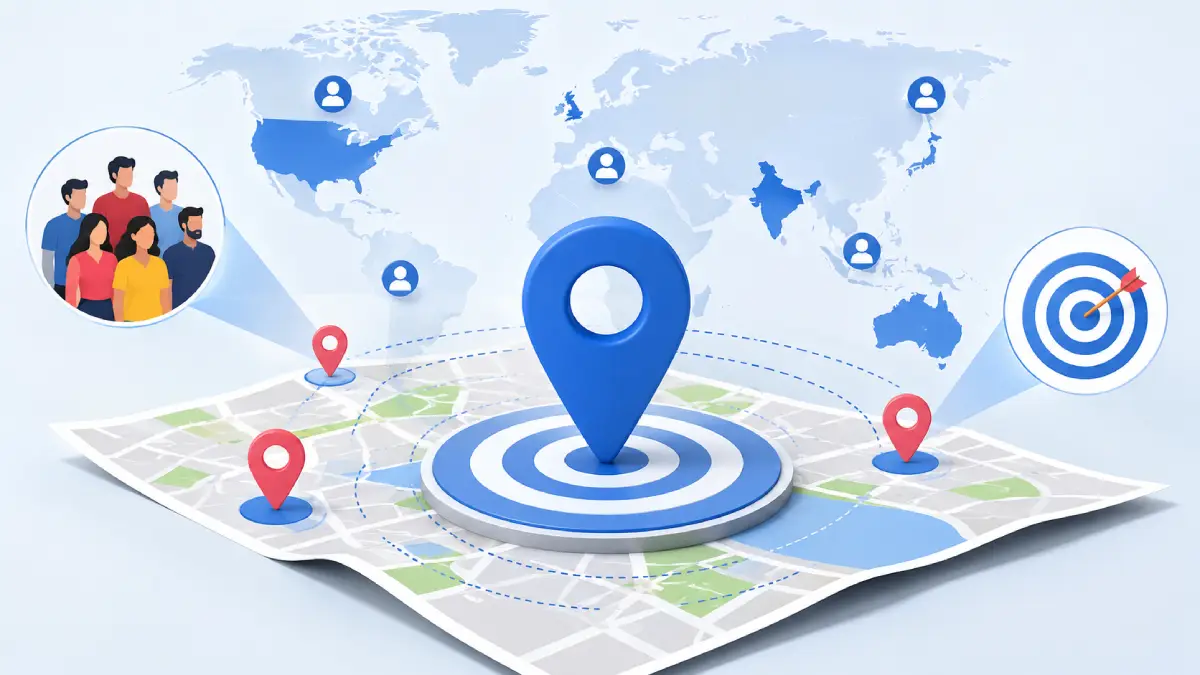
Meta’s ad platform gives businesses a lot of control over exactly who sees their campaigns, and one of the most underused levers is location. Getting this right can be the difference between an ad that burns budget and one that brings in real customers. Here’s a complete look at how location targeting works inside Meta Ads Manager today, based on both established practice and the most recent platform changes.
1. Understanding Location Targeting in Meta Ads
Location targeting lets you decide which geographic areas your ads are eligible to appear in. It’s a foundational layer of audience building because almost every business, whether it sells online or from a physical storefront, only serves customers in certain places. A neighborhood bakery mainly targets customers who are located nearby, a state-level coaching institute wants regional reach, a national ecommerce brand needs country-wide coverage, and a software company selling worldwide needs multiple countries included at once.
2. Where Location Settings Live in Ads Manager
Location controls sit inside the Ad Set level, under the Audience section. This is where you build or adjust the geographic boundaries for that specific ad set before moving on to other campaign settings, including demographics, detailed targeting, placements, and budget options.
3. Selecting Locations
You have two ways to add locations:
- The search bar, where you type a country, state or province, city, neighborhood, postal code, or street address, and Meta suggests matching results.
- The Browse menu, a structured list organized by country, region (Punjab, California, Ontario), or city (Delhi, London, New York).
Meta also provides a Saved Locations option that allows advertisers to save frequently used geographic selections. This is mainly a convenience feature that helps businesses and agencies quickly reuse the same location groups when creating future campaigns instead of manually selecting locations again.
4. Location Types You Can Choose From
- Country targeting, ideal for national brands like an ecommerce store shipping across India or the US.
- State or region targeting, suited to regional players covering an area like Punjab or Texas.
- City targeting, useful when a business operates only in one city, such as Chandigarh or Mumbai.
- Neighborhood or local-area targeting, aimed at hyperlocal businesses.
- Postal code targeting, available in select markets.
- Address-based targeting, built around a specific location such as a store, clinic, restaurant, or event venue.
5. Methods of Targeting a Location
Beyond choosing the type of location, you also choose how it’s targeted:
- Targeting an Entire Location covers the boundaries of the selected geographic area, such as a country, region, city, or other available location. It works well for ecommerce brands, education businesses, and larger service providers that serve an entire area.
- Drop-pin targeting lets you mark an exact point on the map, suited to physical stores, restaurants, gyms, and clinics.
- Radius targeting allows advertisers to expand their location targeting within a selected distance around a chosen city or location. When selecting certain cities in Meta Ads Manager, advertisers may see options such as Current City Only or Cities Within Radius, which allows Meta to include nearby cities within the selected radius. Availability of these options may vary depending on the selected location, country, account, and Meta’s current Ads Manager interface.
6. Including Locations
Include Locations simply means telling Meta where you want ads shown. You can include one place or stack several, such as Delhi alone, or Punjab and Haryana together, or multiple countries for an international push. Ads will only be eligible to serve within these included areas.
7. Excluding Locations
Exclude Locations does the opposite; it removes specific areas from an otherwise broader target. A brand targeting all of India might exclude states where its product isn’t available. A city-based business might include the whole city but exclude neighborhoods it doesn’t actually service.
8. Combining Include and Exclude for Real Campaigns
In practice, these two work together:
- A local business might include Chandigarh while excluding parts of the city outside its delivery zone.
- An ecommerce brand might include all of India while excluding pin codes where shipping isn’t offered.
- A multi-branch business would simply include every city where it has a physical location.
9. The Location Hierarchy
Meta’s geographic structure generally moves from broader areas to more specific locations: country, then region or state, then city, neighborhood, postal code, or address. Advertisers can also use radius targeting around a selected point to create a custom service area. For example, a business might target India → Punjab → Patiala and then use a 10 km radius around its location to reach nearby customers.
10. Watching for Location Overlap
When running multiple campaigns with different geographic targets, location overlap can occur. For example, targeting India, Punjab, and Chandigarh separately creates overlapping audiences because smaller areas exist within larger ones. Overlap is not always a problem, especially when campaigns have different goals or strategies, but advertisers should monitor audience overlap, budget distribution, and performance to avoid unnecessary competition between ad sets.
11. How Meta Actually Determines Someone’s Location
Meta uses multiple signals to estimate a person’s location and determine where ads may be relevant. These signals can include device information, network signals, profile information, and activity across Meta technologies. Because location is estimated using multiple signals, advertisers should always monitor campaign performance and adjust targeting based on actual results.
12. Recent Changes in Meta Ads Location Targeting
Meta has changed how location presence settings work over time. Earlier, advertisers could choose separate options such as people living in a location, people recently in a location, or people traveling in a location. In many accounts today, these separate controls are no longer available, and Meta relies more on its own systems and signals to determine eligible users within the selected location. This means advertisers have less manual control over separating residents, visitors, or travelers compared to older versions of Ads Manager.
13. Location Targeting Inside Advantage+ Audience
Even though Meta uses more automation through Advantage+ Audience, advertisers still define important audience controls such as location. Meta’s machine learning can help find likely customers within the selected geographic boundaries, but location remains an important factor for ensuring ads reach people in areas where the business can actually serve customers.
14. Estimated Audience Size and Location Targeting
The size of your selected location directly affects your potential audience. Larger areas such as countries or multiple cities provide more reach, while smaller areas such as neighborhoods or tight radius targeting create a more limited audience. A location that is too broad may waste budget on irrelevant people, while a location that is too narrow may restrict delivery. Advertisers should balance geographic relevance with enough audience size for Meta’s system to optimize effectively.
15. Matching Strategy to Business Type
- Local businesses like restaurants, salons, or clinics do best with pin drops, radius targeting, or city-level targeting.
- Regional businesses such as coaching institutes or regional service providers should lean on state or region targeting.
- National businesses, ecommerce brands especially, typically use full country targeting.
- International businesses selling globally need multiple countries included in the same or parallel campaigns.
16. Mistakes Worth Avoiding
- Targeting an area so large it wastes budget on irrelevant users, or so small it starves the campaign of reach.
- Skipping exclusions or reusing the same location setup across every campaign without reviewing it.
- Never checking geographic performance data, or targeting an area without confirming customer availability there first.
17. Analyzing Location Performance
After launching campaigns, advertisers can review geographic performance inside Ads Manager to understand which locations generate the best results. Location-based analysis helps identify profitable regions, improve budget allocation, remove weak-performing areas, and make better decisions about future targeting strategies.
Advertisers can use Ads Manager breakdown reports to analyze performance by geographic areas and understand which locations are generating the most impressions, clicks, leads, purchases, or conversions. This helps identify high-performing cities or regions where budgets can be increased and low-performing areas where targeting adjustments may be needed.
By comparing metrics such as cost per result, conversion rate, and return on ad spend across different locations, businesses can make data-driven decisions about where to expand, reduce, or exclude their advertising efforts.
18. Best Practices Going Forward
- Keep targeted locations aligned with where your business can genuinely serve customers.
- Run separate campaigns for your most important regions rather than lumping everything together.
- Adjust creative for different locations where it makes sense.
- Test different geographic splits and check performance regularly.
- Put more budget behind the areas that are clearly working.
19. Frequently Asked Questions
What is location targeting in Meta Ads?
It’s the setting that controls which geographic areas are eligible to see your ads.
How do I target a city in Facebook Ads?
Search for the city name or select it through the Browse menu at the ad set level.
Can I target multiple locations?
Yes, you can include several countries, regions, or cities in one ad set.
Can I exclude locations?
Yes, Exclude Locations lets you remove specific areas from your targeted audience.
What is radius targeting?
It targets people within a set distance from a pin dropped on a map, commonly used by physical businesses.
Why can’t I find “people living in or recently in this location” as a separate option anymore?
Meta has changed location presence controls over time. In many accounts, older options such as separate resident, recent visitor, and traveler targeting choices are no longer available. Meta now uses its own systems and signals to determine eligible users within selected locations.
Can I target a specific area around my business?
Yes, you can use a dropped pin with radius targeting to reach people within a specific distance around your business location.
What’s the difference between city and radius targeting?
City targeting covers an entire city’s boundaries, while radius targeting draws a custom circle around one exact point, which can be smaller or larger than the city itself.