If you’ve spent any real time in Meta Ads Manager, you’ve probably noticed that some older targeting methods no longer work the way they used to. Meta has changed how advertisers control who sees their ads, and audience exclusions are one of the areas that have changed significantly. What used to be a simple option alongside an interest or behavior has shifted toward a more deliberate process built around Custom Audiences.
This article breaks down what exclusions are, how they work, and where they fit into a smart campaign strategy.
1. What Are Audience Exclusions in Meta Ads?
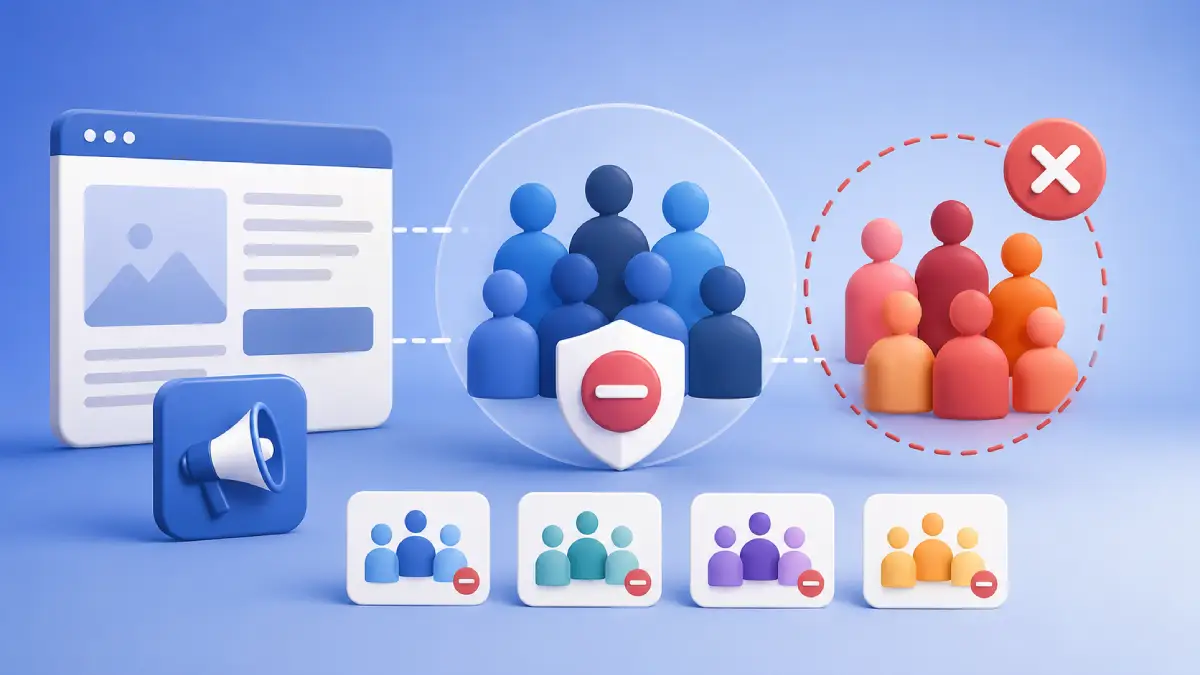
An audience exclusion is a setting that tells Meta not to show your ads to a specific group of people, even if those people would otherwise match your targeting. Think of it as a filter that removes certain people from your audience before your ad is delivered to them.
Advertisers use exclusions for a simple reason: not every ad is meant for every person. Someone who already bought your product doesn’t need to see an ad designed to generate a first purchase. Someone who already filled out a lead form may not need another prompt asking for the same information. Excluding these people can reduce wasted spend and keep your messaging relevant.
The difference between inclusion and exclusion is straightforward. Inclusion defines who you want to reach; exclusion defines who you want to leave out. Both can work together to make your audience more relevant to the campaign goal.
Exclusions play a supporting role rather than a starring one. They don’t build your audience, but they refine it by preventing your budget from being spent on people who don’t fit the purpose of a particular campaign.
2. How Custom Audience Exclusions Work in Meta Ads
Audience exclusions are configured at the ad set level, inside the Audience section under Audience Controls. This is where you can select specific audiences that should not receive your ads.
The main tool for this is the Custom Audience. You can create a Custom Audience from sources such as customer lists, website activity, lead forms, app activity, or engagement. You can then select that Custom Audience as an exclusion instead of using it as an audience you want to reach.
When someone matches the excluded Custom Audience, Meta uses that information as part of its delivery controls and aims to prevent that person from receiving ads from the ad set. This makes Custom Audiences useful for managing different groups throughout the customer journey. For example, you might include website visitors in a retargeting campaign while excluding people who have already purchased.
Audience Controls can include restrictions such as location, minimum age, language availability, and Custom Audience exclusions. These are different from audience suggestions that can guide Meta’s delivery. The distinction is important because Meta’s automated targeting systems can use audience suggestions as signals for finding people, while audience controls are used to define boundaries for delivery.
3. Common Use Cases for Audience Exclusions
There are several situations where exclusions make sense:
- Removing existing customers from acquisition campaigns aimed at new buyers
- Excluding people who already purchased a specific product from sales-focused ads
- Leaving out leads who already submitted their contact details
- Excluding previous website visitors from cold prospecting campaigns when the goal is to reach new people
- Preventing app install ads from reaching people who already have the app
- Filtering out highly engaged users when the goal is to reach a fresh audience
Each example solves the same underlying problem: spending money on people who have already moved past the stage the campaign is designed to address.
4. Custom Audiences Used for Exclusion
Meta provides several types of Custom Audiences that can be used as exclusion audiences. Common examples include:
- Customer List Audiences: Built from uploaded customer information such as email addresses or phone numbers
- Website Custom Audiences: Based on activity from your website using Meta’s tracking tools
- Lead Form Audiences: Made up of people who have already submitted a lead form
- Facebook Page Engagement Audiences: Include people who have interacted with your Facebook Page
- Instagram Engagement Audiences: Include people who have interacted with your Instagram account through available engagement actions
- App Activity Audiences: Based on specific actions people take within your app
- Offline Activity Audiences: Connected to eligible offline events or conversion data
Any of these Custom Audiences can be used for inclusion or exclusion depending on the campaign objective.
For example, a website visitor audience can be included in a retargeting campaign or excluded from a campaign designed specifically for new prospects.
5. Audience Exclusions with Advantage+ Audience
Advantage+ Audience is Meta’s automated audience targeting system. It gives Meta more flexibility to find people who are likely to take the desired action instead of relying entirely on manually selected audience criteria. This is where the distinction between audience suggestions and audience controls becomes important.
Some audience inputs can act as suggestions that help guide Meta’s delivery system. Meta may use its optimization system to find additional people beyond those suggestions when doing so is expected to improve performance.
Custom Audience exclusions are different. They are configured as audience controls and are intended to prevent delivery to the selected Custom Audience. For example, if you are running an acquisition campaign and exclude an existing-customer Custom Audience, the purpose of that exclusion is to prevent people in that audience from receiving the ads, even when automated audience features are being used.
However, the quality of the exclusion depends on the quality and coverage of the underlying Custom Audience data. An exclusion audience can only help with people Meta can successfully match to that audience. This is why maintaining accurate and up-to-date Custom Audiences is important.
6. Best Practices for Audience Exclusions
A few habits can help you use exclusions effectively:
- Only exclude a group when there is a clear business reason, such as avoiding unnecessary ads to existing customers
- Keep exclusion audiences updated so outdated data does not reduce your reachable audience unnecessarily
- Match exclusions to the campaign goal, whether the campaign is focused on acquisition, lead generation, retargeting, or customer retention
- Avoid unnecessary exclusions, since excessive restrictions can reduce the audience available for Meta’s optimization
- Use exclusions to manage customer lifecycle stages, rather than using them as a substitute for better creative, offers, or campaign strategy
Exclusions work best as a precision tool, not as a catch-all filter.
7. What Changed: Detailed Targeting Exclusions Were Removed
For years, advertisers could exclude people based on interests, behaviors, and other detailed targeting criteria. This worked similarly to selecting detailed targeting options for inclusion.
Meta has removed detailed targeting exclusions from its current targeting system as part of its broader move toward automated audience delivery. This means advertisers can no longer rely on an interest or behavior as a standard detailed targeting exclusion in the way they could previously.
Instead, Custom Audiences are the main practical tool for excluding known groups of people. For example, if you want to prevent existing customers from receiving a prospecting campaign, you can create a Custom Audience containing those customers and use it as an exclusion.
The change reflects Meta’s broader shift toward giving its delivery system more flexibility while retaining certain audience controls for advertisers.
8. Audience Exclusion Strategies
Putting everything together, exclusions can be used in several campaign strategies.
- E-commerce acquisition: An e-commerce brand can exclude existing customers from an acquisition campaign to focus its budget on people who have not yet purchased.
- Lead generation: A lead campaign can exclude people who have already submitted a form to avoid repeatedly asking them for the same information.
- Retargeting: A retargeting campaign can exclude recent purchasers when the campaign is intended to convert non-buyers.
- Customer journey campaigns: Different Custom Audiences can be used to move people between stages of the customer journey. For example, someone who completes a purchase can be excluded from a campaign designed to generate that first purchase.
- App promotion: An app install campaign can exclude people who have already installed the app, allowing the campaign to focus on people who may still need to install it.
These strategies don’t require complex targeting rules. They rely on Custom Audiences to identify groups that should be removed from a particular campaign’s audience.
9. Conclusion
Audience exclusions give advertisers a practical way to prevent specific groups of people from receiving ads that are not relevant to them. The main method is to use Custom Audiences as exclusion audiences. Customer lists, website activity, lead forms, app activity, and engagement data can all help create audiences that can be excluded from specific ad sets.
The removal of detailed targeting exclusions also makes understanding Custom Audience exclusions more important. Instead of excluding people based on individual interests or behaviors, advertisers can use their own audience data to exclude known groups.
When used carefully, exclusions can help reduce wasted spend, improve message relevance, and manage different stages of the customer journey. The key is to use them where they serve a clear business purpose while allowing Meta’s delivery system enough room to optimize.