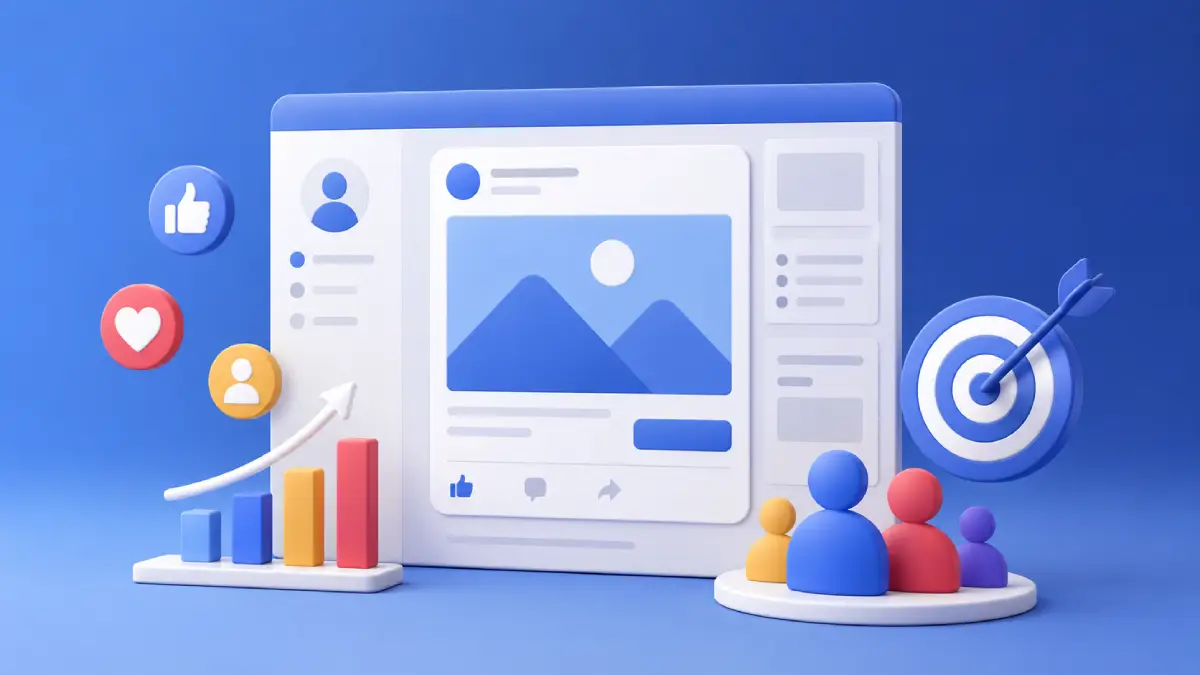
Facebook Ads are one of the most popular online advertising platforms, helping businesses of all sizes reach potential customers across Facebook, Instagram, Messenger, and the Meta Audience Network. Whether you’re promoting a local business, an online store, or a personal brand, Facebook Ads provide powerful tools to target the right audience, control your budget, and measure results. This beginner’s guide explains the fundamentals of Facebook Ads from understanding the Meta advertising ecosystem and setting up the right accounts to learning campaign structure, targeting, budgets, and basic policies.
1. What Are Facebook Ads?
Facebook Ads are paid placements that appear in a user’s feed, stories, reels, search results, or inbox, built and managed through Meta’s advertising system. They run not just on Facebook but across Instagram, Messenger, and partner apps/sites in the Audience Network. Unlike traditional advertising, which pays for space and hopes the right people notice, Facebook Ads let you choose exactly who sees your message based on demographics, interests, and online behavior.
2. How Meta Ads Work
Meta Ads work by matching advertisers with people who are most likely to take the desired action. First, an advertiser creates a campaign in Meta Ads Manager by selecting a campaign objective, defining the target audience, setting a budget, choosing ad placements, and creating the ad. When there is an opportunity to show an ad on Facebook, Instagram, Messenger, or the Audience Network, Meta’s advertising system evaluates all eligible ads through an auction. Instead of simply choosing the highest bidder, Meta considers factors such as the advertiser’s bid, the estimated likelihood that a user will complete the desired action, and the quality and relevance of the ad. The ad with the highest overall value is shown to the user. As the campaign runs, Meta continuously learns from user interactions and automatically optimizes delivery to improve performance based on the selected campaign objective.
3. Benefits of Advertising on Meta
Meta Ads offer several advantages that make them one of the most effective digital advertising platforms for businesses of all sizes. Whether you’re trying to increase brand awareness, generate leads, or drive sales, Meta provides tools that help you reach the right audience while staying within your budget.
- Massive Reach: Meta allows you to advertise across Facebook, Instagram, Messenger, and the Audience Network, giving you access to billions of active users worldwide.
- Precise Audience Targeting: You can target people based on factors such as location, age, gender, language, interests, behaviors, and previous interactions with your business. This helps your ads reach users who are more likely to be interested in your products or services.
- Flexible Budget Options: Meta Ads work with almost any budget. You can start with a small daily budget, increase your spending as your campaigns perform well, and maintain full control over your advertising costs.
- Multiple Campaign Objectives: Meta offers campaign objectives for different business goals, including increasing brand awareness, driving website traffic, generating leads, promoting apps, encouraging engagement, and boosting sales.
- Detailed Performance Tracking: Meta Ads Manager provides detailed reports that show impressions, reach, clicks, conversions, cost per result, and other key metrics. These insights help you measure campaign performance and make data-driven improvements.
- AI-Powered Optimization: Meta uses machine learning and automation to optimize ad delivery, placements, and budgets, helping advertisers achieve better results with less manual effort.
- Support for Different Ad Formats: Businesses can create image, video, carousel, collection, story, reel, and lead ads, allowing them to present products and services in different ways depending on their marketing goals.
- Remarketing Capabilities: Using tools such as the Meta Pixel and Custom Audiences, businesses can reconnect with people who have previously visited their website, engaged with their content, or interacted with their ads.
4. A Brief History
Facebook’s dedicated ad platform the direct ancestor of what advertisers use today launched in November 2007, alongside free Facebook Pages for businesses. It has since grown into the self-service platform now called Meta Ads Manager (renamed after the 2021 company rebrand). Meta Business Portfolio is the renamed version of the older Business Manager tool; the core mechanics stayed largely the same, but both old and new terminology still appear side by side.
5. The Ecosystem and Requirements
- Facebook Profile: It represents a real individual; every setup starts here. Using it to operate a business risks restrictions.
- Facebook Page or Instagram professional account: Most Facebook ads need a Page, since ads aren’t published from a personal profile. For Instagram-only campaigns, an eligible Instagram Business/Creator account can serve as the sole identity instead.
- Meta Business Portfolio: It organizes ad accounts, Pages, and team members under one hub; strongly recommended, though not strictly mandatory.
- Ad Account: It is where campaigns are actually built and managed.
- Payment Method: It required before any ad can go live.
6. Ad Account Types
Personal Ad Account: Automatically created through a personal profile when using Meta ad tools, but it lacks proper separation between personal and business activities.
Business Ad Account: Created inside a Business Portfolio, offering better structure, control, and scalability. Beginners should start with this option from day one.
7. Campaign Structure and the Auction
Every Meta ad follows a three-level structure:
Campaign: Defines your overall advertising goal or objective.
Ad Set: Controls audience, budget, schedule, and placements.
Ad: The actual creative content shown to users.
Ad Auction: Meta selects ads based on factors like bid, estimated action rate, and ad quality. A highly relevant ad with a smaller budget can outperform a generic ad with a larger budget.
8. Campaign Objectives
Awareness, Traffic, Engagement, Leads, App Promotion, and Sales are the core objectives each tells Meta’s delivery engine what outcome to optimize toward. Picking the wrong one is a common reason results disappoint.
9. Audience Targeting
- Location, age, gender, language: The foundational filters.
- Interests and behaviors: Narrow toward specific topics or purchase patterns.
- Custom Audiences: Re-target people already familiar with your business.
- Lookalike Audiences: Find new prospects resembling your best customers.
10. Placements and Formats
Ads can run on Facebook, Instagram, Messenger, and the Audience Network. Automatic Placements let Meta choose where to show your ad and usually deliver more efficiently; Manual Placements give you control but need more experience. Common formats include Image, Video, Carousel, Collection, and Lead Ads the right one depends on your objective and product.
11. Budgets and Budget Optimization
- Daily Budget: Caps spend per day;
- Lifetime Budget: One total cap for the whole campaign;
- Account Spending Limit: An account-level ceiling across all campaigns.
- Campaign Budget Optimization, now often labeled Advantage Campaign Budget: Lets you set one total budget at the campaign level and have Meta automatically shift money toward whichever ad set is performing best.
12. The Meta Pixel
The Meta Pixel (also called Facebook Pixel, and increasingly labeled a “dataset”) is a snippet of code added to your website that reports visitor actions page views, add-to-carts, purchases back to your ad account. It helps measure conversions, build Custom Audiences, and optimize delivery. It’s not required for every campaign but is strongly recommended for websites. Because browser-based tracking has become less reliable due to privacy changes, Meta also recommends pairing the Pixel with the Conversions API, which sends the same data server-side for a fuller, more accurate picture.
13. Advantage+ and Automation
Advantage+ is Meta’s umbrella term for AI-assisted tools that can handle targeting, placements, budget, and even creative adjustments automatically. New campaigns often launch with Advantage+ options pre-selected. Beginners can safely start with these defaults and shift toward manual control as they gain experience.
14. Ad Frequency and Fatigue
Frequency is the average number of times one person has seen your ad. Too high a frequency causes ad fatigue falling click-through rates and rising costs even though nothing else changed. Refreshing creative or adjusting the audience usually fixes it.
15. A/B Testing
A/B (split) testing means running two versions of an ad that differ in exactly one element image, headline, or audience to see which performs better. Meta has a built-in testing tool for this. Change only one variable at a time, or you won’t know what caused the difference.
16. Attribution Windows
An attribution window is the time period after an interaction during which a resulting action is still credited to that ad. Meta’s default credits conversions within 7 days of a click or 1 day of a view worth knowing, since a sale reported today may trace back to an ad seen days earlier.
17. Key Metrics to Know
- CPM: Cost per 1,000 impressions.
- CPC: Cost per click.
- CTR: Click-through rate, the percentage of people who click after seeing the ad.
- ROAS: Return on ad spend, revenue generated per dollar spent.
These sit alongside Meta’s own conversion and cost-per-result numbers and are the quickest way to judge whether a campaign is working.
18. Creative Best Practices
Design for mobile and vertical formats first, since most viewing happens on phones. Grab attention in the first few seconds of video or in the main image. Keep on-image text minimal. Test more than one creative, since different images, videos, or headlines often perform very differently with the same audience.
19. Ad Library and Retargeting Basics
The Meta Ad Library is a free, public tool for viewing any ad a Page is currently running useful for researching competitors before building your own creative. A common retargeting funnel moves people through stages: a cold audience who doesn’t know your business (Awareness/Traffic), a warm audience who’s already engaged (Custom Audiences), and a hot audience close to converting (a direct, sales-focused ad).
20. Basic Ad Policies
Meta restricts prohibited content outright, while restricted content (like alcohol or financial products) may need special approval by region. Ads most often get rejected for misleading claims, weak landing pages, or content that conflicts with community guidelines.
21. Common Beginner Mistakes
- Running ads from a personal account instead of a proper Business Ad Account.
- Choosing the wrong objective for the actual goal.
- Targeting too wide or too narrow an audience.
- Ignoring ad policies, causing rejections or account flags.
- Letting frequency climb unchecked instead of refreshing creative.
- Changing multiple settings at once when testing, making it impossible to tell what worked.
- Editing campaigns too often and repeatedly resetting the learning phase.
22. Conclusion
Facebook Ads provide businesses of every size with a powerful way to reach the right audience, promote products or services, and measure results with detailed performance data. While the platform offers many advanced features, success begins with understanding the fundamentals setting up the right accounts, choosing the correct campaign objective, targeting the appropriate audience, managing your budget, and following Meta’s advertising policies. Once you’re comfortable with these basics, you’ll be in a strong position to explore more advanced topics such as audience building, campaign optimization, and performance analysis to improve your advertising results over time.
23. FAQs
What are Facebook Ads?
Facebook Ads are paid advertisements created through Meta’s advertising platform. They allow businesses to promote products, services, or content across Facebook, Instagram, Messenger, and the Meta Audience Network.
Are Facebook Ads and Meta Ads the same?
Yes. Since Facebook’s parent company rebranded to Meta in 2021, the advertising platform is officially called Meta Ads. However, many people still refer to it as Facebook Ads.
How do Facebook Ads work?
Facebook Ads work through an automated auction system. When an ad placement becomes available, Meta compares eligible ads based on the advertiser’s bid, estimated action rate, and ad quality to determine which ad is shown.
Do I need a Facebook Page to run Facebook Ads?
Most campaigns require a Facebook Page. However, some Instagram-only campaigns can run using an eligible Instagram Business or Creator account without a Facebook Page.
How much does it cost to run Facebook Ads?
There is no minimum fixed cost. You choose your own daily or lifetime budget, making Facebook Ads suitable for both small businesses and large advertisers.
Can I advertise on Instagram with Facebook Ads?
Yes. Meta Ads Manager lets you create one campaign that can run across Facebook, Instagram, Messenger, and the Audience Network.
What is the best campaign objective for beginners?
The best objective depends on your goal. For example, use Awareness for brand visibility, Traffic for website visits, Leads for collecting customer information, and Sales for driving purchases.
What is the Meta Pixel?
The Meta Pixel is a tracking code installed on your website to measure conversions, optimize campaigns, and create remarketing audiences based on visitor activity.
Can I run Facebook Ads without a website?
Yes. You can promote your Facebook Page, Instagram profile, Messenger, WhatsApp, or use Meta’s Instant Forms to collect leads without having a website.
What is the difference between Facebook Ads and boosted posts?
A boosted post simply increases the reach of an existing Facebook post with limited targeting and optimization. Facebook Ads created in Meta Ads Manager provide advanced targeting, multiple campaign objectives, detailed reporting, and greater control.
Why are my Facebook Ads not getting results?
Poor performance is often caused by choosing the wrong campaign objective, targeting the wrong audience, using weak ad creatives, having a low budget, or not allowing enough time for the campaign to complete its learning phase.
Are Facebook Ads suitable for small businesses?
Yes. Facebook Ads are one of the most affordable digital advertising platforms because businesses can start with a small budget and gradually increase spending as campaigns perform well.
How long does it take for Facebook Ads to start working?
Most campaigns begin delivering shortly after approval. However, Meta may take a few days to complete the learning phase before optimizing performance effectively.
Can I stop or edit a Facebook Ads campaign anytime?
Yes. You can pause, resume, edit, or stop campaigns at any time through Meta Ads Manager. However, making frequent major edits may reset the campaign’s learning phase.
Is Meta Ads Manager free to use?
Yes. Creating and using a Meta Ads Manager account is free. You only pay for the advertising budget you spend when your campaigns run.