A website may appear to work perfectly until visitors try to leave it. Clicking the browser’s back button should be a simple action, but some websites interfere with this behaviour by displaying unwanted advertisements, triggering redirects, or preventing visitors from returning to their previous destination. Google considers this deceptive navigation practice a violation of its Search spam policies. For website owners, understanding how back button hijacking works, why Google takes action against it, and how to prevent it is important for protecting both search visibility and user trust.
1. What Is Back Button Hijacking Spam?
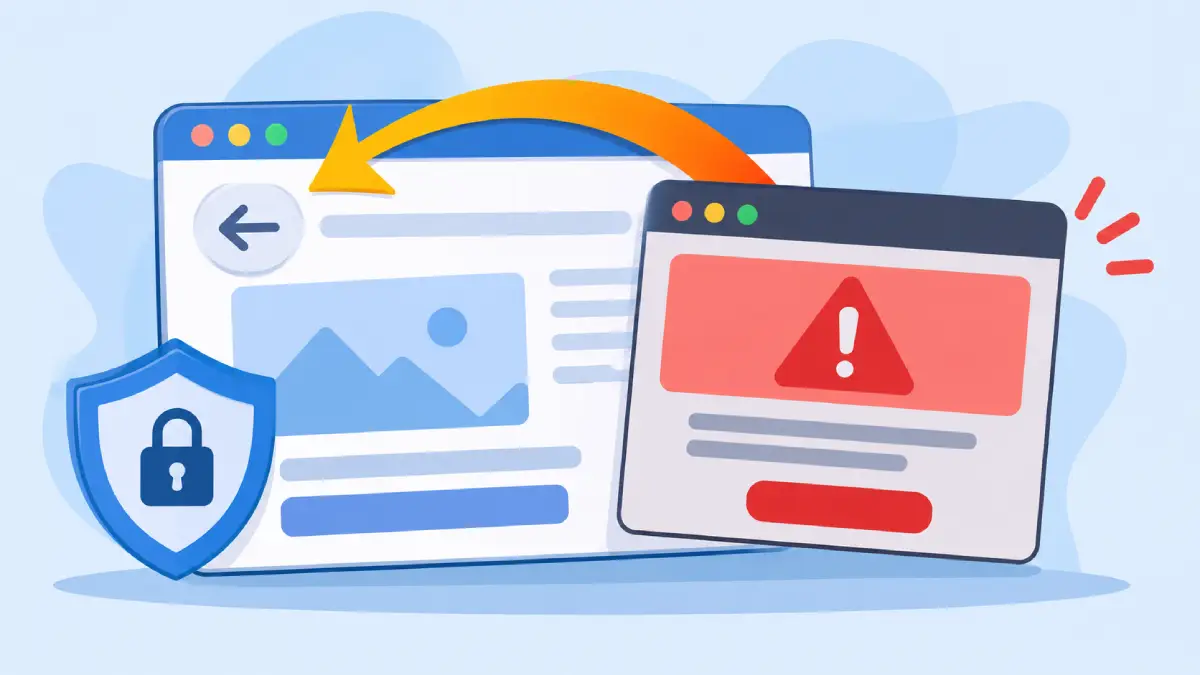
The browser’s back button is one of the most predictable tools on the web. When visitors click it, they expect to return to the page they were viewing previously. Back button hijacking spam breaks this expectation by interfering with normal browser navigation. Instead of returning to the previous page, visitors may be redirected to a page they never opened, such as an advertisement or an unrelated website. In other cases, unwanted advertisements or recommended content may appear when visitors attempt to leave a website. This deceptive behaviour prevents visitors from navigating freely and creates a frustrating browsing experience.
2. How Back Button Hijacking Works
Browsers maintain a list of pages visitors open during a browsing session, known as browser history. The back button moves visitors to the previous entry in that history. Back button hijacking interferes with this process by manipulating browser history or using other techniques to disrupt normal navigation.
Common techniques include:
- Adding unwanted history entries: Scripts insert additional entries into browser history, sometimes duplicating the current page or adding pages visitors never actually viewed.
- Intercepting back navigation: Scripts detect back-button activity and redirect visitors to another address instead of allowing normal navigation.
- Creating navigation loops: Unwanted history entries repeatedly send visitors back to the same website or another page, making it difficult to reach the original destination.
For example, someone clicks a search result and reads an article. A script running on the website inserts several unwanted history entries. When the visitor presses the back button, the browser may reload the page or redirect them to an advertisement instead of returning to the search results.
3. Why Google Considers Back Button Hijacking Spam
Google considers back button hijacking a violation of its malicious practices spam policy because it deceives visitors and interferes with their control over browser navigation. Visitors expect browser controls to behave consistently across websites. Pressing the back button is a deliberate action to return to previously viewed content. When a website overrides this behaviour, it redirects visitors towards content they did not choose. This practice can create a frustrating browsing experience, undermine user trust, and make it difficult for visitors to leave a website. Instead of allowing people to navigate freely, the website attempts to control their browsing behaviour for its own benefit.
4. Google’s Back Button Hijacking Policy and Enforcement
Google announced its back button hijacking policy on April 13, adding the practice to the malicious practices section of its Search spam policies. Enforcement began on June 15, giving website owners time to review their websites and address problematic behaviour. Google expects website owners to remove or disable scripts, imported code, libraries, plugins, or configurations responsible for back button hijacking. The policy applies regardless of whether the responsible code was developed internally or introduced through third-party services. Pages exhibiting this behaviour may face manual spam actions or automated ranking demotions. Website owners should review their website functionality and ensure that browser navigation works as visitors expect.
5. Common Examples of Back Button Hijacking
Back button hijacking can appear in different forms during normal browsing. Common examples include:
- Pressing the back button and being redirected to an advertisement instead of the previously visited page.
- Landing on an unrelated or previously unvisited page after attempting to go back.
- Finding that browser history contains deceptive entries that prevent normal navigation.
- Seeing unsolicited advertisements or recommendations when trying to leave a website.
- Experiencing repeated redirects that interfere with attempts to return to the original destination.
These examples demonstrate how deceptive navigation can affect visitors even when a website initially appears to work normally.
6. Legitimate Website Navigation vs Back Button Hijacking
Not every modification to browser history violates Google’s spam policy. Modern websites regularly use JavaScript to manage navigation, update page content, and create smoother browsing experiences. Single-page applications, for example, can update browser history when visitors move between different sections without loading an entirely new page. When implemented correctly, pressing the back button should allow visitors to return to the previous view as expected. Similarly, legitimate redirects, such as sending visitors from an outdated URL to a new address, are not automatically considered back button hijacking.
The important distinction is whether a website deceptively interferes with browser navigation and prevents visitors from returning to the page they came from. Normal navigation should remain predictable and should not manipulate visitors into viewing unwanted content.
7. Google’s Clarifications on Back Button Hijacking Spam
Google has clarified several aspects of its back button hijacking spam policy in its official documentation. These clarifications address concerns about third-party advertising platforms, reporting violations, Google Discover, non-Search traffic, and external applications.
Some back button hijacking was caused by third-party advertising platforms. Are you preventing sites from importing code hosted by advertising platforms?
No, site owners can continue to work with advertising platforms and import code that they host. We only take action on pages that exhibit back button hijacking behavior.
Can users report sites that engage in back button hijacking?
Yes, users can report potential spammy behavior through the spam submission report.
Does this policy apply to sites in Google Discover?
Yes, Discover is a part of Google Search and our spam policies apply to Discover as well.
Does the back button hijacking policy apply if a user arrives at a website from a non-Search channel (such as social media) and experiences back button hijacking when trying to return to the source?
If back button hijacking happens when a user is browsing within a browser, then the policy applies.
Does the back button hijacking policy apply when a website opens an external app, which then prevents the user from returning to the original destination?
No, app navigation and “open in app” behaviors are outside the scope of the back button hijacking policy.
Official Google documentation: https://developers.google.com/search/docs/essentials/spam-policies
These clarifications are particularly relevant to publishers and advertising-supported websites. Using third-party advertising code is permitted, but website owners remain responsible for ensuring that their pages do not exhibit back button hijacking behaviour.
8. How Back Button Hijacking Affects SEO and Website Rankings
Websites that engage in back button hijacking may face consequences under Google’s spam policies. Depending on the situation, these can include:
- Manual spam actions: Google may issue a manual action against pages exhibiting back button hijacking.
- Automated ranking demotions: Google’s automated systems may reduce the visibility of affected pages.
- Reduced search visibility: Pages affected by ranking demotions may receive less organic traffic from Google Search, including Discover.
- Website reputation: Visitors who experience deceptive navigation may lose trust in the website and avoid returning.
Repeated violations may lead to further enforcement and potentially affect a website’s overall presence in Google Search. However, using third-party advertising code does not automatically result in a penalty. Google focuses on pages that actually exhibit back button hijacking behaviour.
9. How Website Owners Can Identify, Prevent and Fix Back Button Hijacking
Website owners should regularly test their websites to identify navigation problems, especially when third-party scripts, advertising platforms, or plugins are involved.
The following steps can help identify and resolve the issue:
- Test browser navigation: Visit important website pages from search results, social media, and other websites. Press the back button and check whether it returns to the expected destination.
- Inspect scripts and browser history: Use browser developer tools to investigate JavaScript that manipulates browser history or interferes with navigation.
- Review advertising integrations: Examine advertising scripts, widgets, and third-party services for unwanted navigation behaviour.
- Check plugins and external libraries: Review installed plugins, imported libraries, and website configurations that may introduce problematic scripts.
- Remove problematic code: Identify the responsible script or configuration and remove it or disable the setting causing the behaviour.
- Test after making changes: Repeat navigation tests across different browsers and devices to confirm that the issue has been resolved.
- Check Google Search Console: Review the Manual Actions report to determine whether Google has issued an action against the website.
- Submit a reconsideration request: If a manual action has been issued, correct the violation and submit a reconsideration request explaining the changes made.
Regular testing is important because problematic behaviour can be introduced through third-party integrations even when website owners have not intentionally implemented it.
10. Staying Compliant with Google’s Spam Policies
Website owners should maintain predictable browser navigation and avoid manipulating browser history in ways that deceive or trap visitors. Review third-party scripts and advertising integrations before implementing them, particularly when making changes to website functionality. Monitor navigation behaviour regularly, especially after plugin updates or changes to advertising services. Following Google’s malicious practices spam policy and ensuring that visitors can navigate freely helps maintain a trustworthy website experience and reduces the risk of search spam enforcement.
Conclusion
Back button hijacking does more than frustrate visitors; it can also put a website’s search visibility at risk. Website owners should regularly review scripts, plugins, advertising integrations, and navigation behaviour to identify potential problems. Maintaining predictable browser navigation and following Google’s spam policies helps protect website reputation, improve user experience, and avoid search spam enforcement.