A conversion recorded in Google Ads does not always represent the complete picture of how customers interact with advertisements. Browser restrictions, limited cookie availability and cross-device behaviour can make it difficult to measure every conversion accurately. This creates challenges for advertisers who rely on conversion data to evaluate campaign performance and make bidding decisions. Enhanced Conversions for Web addresses this measurement gap by introducing first-party customer data as an additional matching signal. Understanding how this process works, what information it uses and how it complements traditional tracking helps advertisers make better use of their Google Ads conversion data.
1. What Are Enhanced Conversions for Web
Enhanced Conversions for Web is a Google Ads feature that supplements existing website conversion tracking with first-party customer data. Standard conversion tracking records when a conversion occurs, while Enhanced Conversions adds customer-provided information, such as an email address entered during checkout, to help Google match the conversion with the ad interaction that led to it.
1.1 Why Google Introduced the Feature
Browser restrictions, limited cookie availability and changes in user privacy settings can make traditional conversion measurement less complete. Enhanced Conversions for Web provides an additional measurement signal through first-party customer data, helping advertisers improve conversion tracking accuracy.
1.2 The Role of First-Party Data
First-party data is information customers provide directly to a business, such as email addresses, phone numbers and billing details. This information supplements browser-based tracking signals and provides additional opportunities to match conversions with relevant Google Ads interactions.
2. How Enhanced Conversions for Web Work
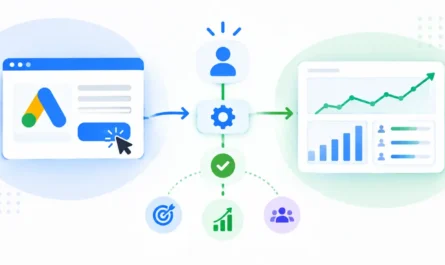
Enhanced Conversions follows a sequence involving customer data collection, normalization, hashing and matching.
2.1 Collection at the Moment of Conversion
When a visitor completes an action, such as making a purchase or submitting a registration form, eligible customer information can be collected through the configured Google tag, Google Tag Manager or another supported integration. The collected information is associated with the relevant conversion event.
2.2 Normalization and Formatting
Before hashing, customer information must follow Google’s formatting requirements. For example, email addresses are trimmed and converted to lowercase, while phone numbers must follow the required international format. Consistent formatting helps ensure that the same customer information produces matching hashed values.
2.3 SHA-256 Hashing
Eligible customer information is transformed using the SHA-256 hashing algorithm before being sent to Google. Hashing is a one-way transformation, meaning the original information cannot ordinarily be reconstructed from the hash.
Hashing is different from encryption, which uses a key to transform information into a form that can be decrypted. Hashing also does not make personal information anonymous, as hashed values can still be used for matching.
2.4 Matching and Attribution
Google compares the submitted hashed information with eligible information associated with signed-in Google accounts. When a match is identified, Google can use it to connect the conversion with a relevant ad interaction. This provides an additional way to measure conversions that might not be fully captured through traditional browser-based tracking.
3. Types of Customer Data Used in Enhanced Conversions
Enhanced Conversions for Web supports different types of first-party customer information.
- Email addresses: Customer email addresses collected during purchases, registrations or form submissions.
- Phone numbers: Customer contact numbers that can provide additional matching information.
- First and last names: Customer name details that can support matching when combined with other information.
- Address information: Details such as street address, city, region, postal code and country.
3.1 Why Data Quality Matters
Accurate customer information improves the chances of successful matching. Incorrect email addresses, incomplete phone numbers or improperly formatted address details can affect matching results. Advertisers should ensure that the information collected is accurate, eligible and consistent with Google’s requirements.
4. How Enhanced Conversions for Web Improve Conversion Tracking Accuracy
Enhanced Conversions supplements traditional tracking with additional customer data signals, helping advertisers obtain a more complete view of advertising performance.
4.1 Recovering Conversions That Might Otherwise Go Unmeasured
When traditional tracking signals are unavailable or incomplete, eligible customer information may help Google identify and attribute conversions that would otherwise remain unmeasured. For example, a customer might interact with an advertisement on a mobile device and complete a purchase later on a laptop. Matching eligible first-party information can provide an additional way to connect these interactions. However, conversion recovery depends on data availability and successful matching. It does not guarantee that every missing conversion will be recovered.
4.2 Improving Automated Bidding
Enhanced conversion measurement can provide additional conversion signals to Google’s automated bidding strategies. More complete conversion information can help bidding systems evaluate campaign performance and make better-informed bidding decisions.
4.3 Conversion Reporting and Diagnostics
Google Ads provides conversion impact reporting and diagnostics to help advertisers evaluate Enhanced Conversions performance. These tools can help identify implementation issues, missing customer data and measurement problems. Advertisers can use the available reporting to understand whether enhanced conversion signals are being received and contributing to conversion measurement.
5. Enhanced Conversions for Web vs Traditional Conversion Tracking
5.1 How Traditional Conversion Tracking Works
Standard Google Ads conversion tracking uses conversion tags to record completed actions on a website. Cookies and other available tracking signals help connect conversions with previous advertising interactions. Measurement can become less complete when these signals are unavailable or restricted.
5.2 How Enhanced Conversions Differ
Enhanced Conversions retains the existing conversion tracking setup while adding eligible hashed first-party customer information. Traditional tracking relies on available browser-based identifiers and other measurement signals, whereas Enhanced Conversions introduces an additional customer-data matching method.
5.3 A Complement, Not a Replacement
Enhanced Conversions for Web supplements standard conversion tracking rather than replacing it. The existing conversion tag continues to record conversion events, while the enhanced feature provides additional information that can improve measurement and attribution.
6. Privacy, Data Security and User Consent
6.1 What Hashing Does and Does Not Do
SHA-256 hashing transforms readable customer information into hashed values before transmission. This helps avoid sending the original readable information through the enhanced conversion data process. However, hashing does not make personal information anonymous or automatically guarantee privacy compliance. Advertisers must follow Google’s requirements and applicable data protection laws.
6.2 Customer Data Policies and Consent
Advertisers must comply with Google’s customer data policies and accept the applicable customer data terms. They must also obtain appropriate user consent and provide relevant privacy disclosures according to the laws applicable to their audience.
6.3 Responsible Data Handling
Businesses should collect only the customer information necessary for their measurement requirements, restrict access to sensitive information and handle collected data responsibly. Consent settings can also affect how customer information is collected and used for measurement.
7. Requirements for Using Enhanced Conversions for Web
Before enabling the feature, advertisers should ensure that the following requirements are addressed:
- Existing conversion tracking: A properly configured Google Ads conversion action must be available.
- Eligible first-party data: The website should collect supported customer information, such as email addresses or phone numbers, during relevant conversion activities.
- Tag configuration: The Google tag or Google Tag Manager must be configured to support enhanced conversion data collection.
- Correct event and data mapping: Customer information must be associated with the appropriate conversion event.
- Policy compliance: Advertisers must accept Google’s applicable customer data terms and meet privacy requirements.
- Implementation validation: Conversion diagnostics should be reviewed to identify configuration or data collection issues.
7.1 Supported Implementation Methods
Enhanced Conversions for Web supports different implementation approaches depending on the website’s tracking setup and technical requirements.
Google Tag Manager (GTM)
Google Tag Manager allows advertisers to configure Enhanced Conversions by identifying customer data variables and mapping them to the appropriate conversion tag. It provides flexibility for managing tracking configurations without directly modifying website code for every change.
Google Tag
The Google tag supports Enhanced Conversions through methods such as automatic detection, CSS selectors, JavaScript variables and code-based data collection. The appropriate method depends on how customer information is displayed and made available on the website.
Google Ads API
The Google Ads API supports sending eligible first-party customer data through supported integrations. This approach can be useful for businesses that manage customer information through their own systems and require a programmatic data submission method.
8. Unified Enhanced Conversions Settings in Google Ads
Google has combined Enhanced Conversions for Web and Enhanced Conversions for Leads under a unified setting, simplifying how advertisers manage enhanced conversion measurement.
8.1 From Separate Settings to a Unified Setting
Previously, Enhanced Conversions for Web and Enhanced Conversions for Leads had separate configuration options. Under the unified approach, both are managed through a single on/off setting in Google Ads.
8.2 Multiple Data Sources
Google Ads supports receiving eligible user-provided data through different methods, including:
- Website tags, such as Google tag and Google Tag Manager.
- Data Manager connections.
- Google Ads API integrations.
These supported methods can provide customer data simultaneously, allowing advertisers to use multiple data sources rather than relying on only one implementation method.
8.3 What Existing Advertisers Should Know
Existing eligible advertisers who have accepted Google’s applicable customer data terms are migrated to the unified configuration according to Google’s transition requirements. Advertisers should review their conversion settings and customer data terms to understand their configuration.
8.4 Monitoring Configuration Status
Advertisers can review the unified Enhanced Conversions setting in Google Ads and use available diagnostics to check whether customer data is being received and processed correctly. Regular monitoring helps identify configuration issues that may affect conversion measurement.
Conclusion
Enhanced Conversions for Web strengthens Google Ads conversion measurement by supplementing traditional tracking with first-party customer data. From data collection and SHA-256 hashing to conversion matching and reporting, each stage contributes to a more complete understanding of advertising performance. When configured correctly and used in accordance with Google’s data policies, it can improve conversion measurement, support automated bidding and help advertisers make better-informed decisions based on their campaign data.