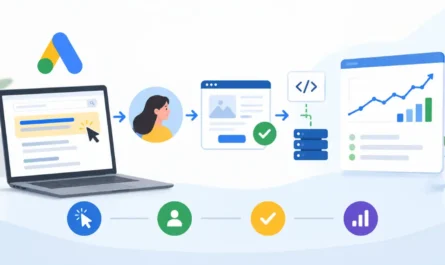
Reaching the right people is just as important as creating the right advertisement. Two users searching for the same product may have completely different interests, purchasing intentions and relationships with a business. Google Ads provides several ways to distinguish between these users and make advertising more relevant. By understanding audience categories and how Targeting and Observation settings work, advertisers can decide whether to focus on specific groups or simply study their behaviour while maintaining broader reach.
1. What Are Audience Segments in Google Ads?
Google Ads Audience Segments are groups of people organized according to their interests, habits, purchase intent, demographics and previous interactions with a business. Advertisers can add these segments to campaigns or ad groups to reach users who are more likely to find their ads relevant. Google uses signals such as the content people engage with, the topics they research and their interactions across Google properties to identify relevant audiences. Advertisers do not need to identify individual users. Instead, they select audience segments that match their campaign objectives and potential customers. The main categories include Detailed Demographics, Affinity, In-Market, Your Data Segments, Custom Segments, Life Events and Combined Segments. Each category represents a different way of understanding or grouping potential customers.
2. Types of Audience Segments in Google Ads
Each audience segment category represents a different set of user characteristics, interests or behaviours. Understanding these differences helps advertisers select relevant audiences for their campaigns.
2.1 Detailed Demographics – Who They Are
Detailed Demographics describe users through characteristics beyond basic demographic information. While basic demographics include age, gender and household income, detailed demographics provide additional information such as education level, parental status, marital status and homeownership.
Examples include:
- Parents of toddlers.
- College graduates.
- Married users.
- Homeowners.
These segments are useful when a product or service is relevant to a particular life circumstance or personal characteristic. For example, a home improvement business may find homeowners more relevant than the general population.
2.2 Affinity – What Their Interests and Habits Are
Affinity segments focus on users’ long-term interests, passions and lifestyle habits. Google identifies these audiences through patterns in the content they consume and the topics they consistently engage with. Examples include fitness enthusiasts, travel lovers, foodies and technology fans. Advertisers can use Affinity segments to build awareness among people who already have an interest in a related subject. These audiences are generally suitable for broader reach because they represent ongoing interests rather than immediate purchase intentions.
2.3 In-Market – What They Are Actively Researching or Planning
In-Market segments represent users who have demonstrated recent purchase intent through their online behaviour. Google identifies signals that suggest people are researching, comparing or considering particular products and services.
Examples include people shopping for:
- Vehicles.
- Mortgages.
- Laptops.
- Travel packages.
The main difference between Affinity and In-Market segments is purchase intent. Affinity represents general interests and habits, whereas In-Market represents active consideration of a product or service. Advertisers can use these segments to reach people who may be closer to making a purchasing decision.
2.4 Your Data Segments – How They Have Interacted With Your Business
Your Data Segments are audiences created from a business’s first-party data. They include people who have previously interacted with the business through websites, apps, customer lists and supported Google platforms.
Examples include:
- Website visitors: People who have previously visited the business website.
- App users: People who have interacted with the business’s mobile application.
- Customer Match: Existing customers identified through customer information provided by the advertiser.
- YouTube users: People who have interacted with the business’s YouTube channel or videos.
- Google-engaged audiences: People who have interacted with the business through supported Google platforms.
These segments allow advertisers to reconnect with people who already know the business. Unlike broader audience categories, Your Data Segments are based on previous interactions with the advertiser.
2.5 Custom Segments – Defining Your Own Audience
Custom Segments allow advertisers to define audiences using their own inputs instead of selecting only Google’s predefined categories. Advertisers can provide relevant keywords, website addresses and app information. Google uses these inputs to identify people with related interests or purchase intent. For example, a running shoe retailer could create a Custom Segment using keywords related to marathon training, running shoes and fitness equipment, along with popular running websites. The main difference is that Affinity and In-Market segments are predefined by Google, whereas Custom Segments allow advertisers to provide specific audience interests and signals. Availability depends on the campaign type.
2.6 Life Events – Important Milestones in Users’ Lives
Life Events segments help advertisers reach people experiencing significant changes in their lives. These milestones can create new requirements and purchasing needs.
Examples include:
- Moving to a new home.
- Graduating from college.
- Getting married.
For example, a furniture retailer may find people who are moving particularly relevant, while a financial services provider may target users approaching graduation. Life Events are useful when a product or service is closely connected to a particular milestone. Availability varies by campaign type.
2.7 Combined Segments – Combining Different Audience Criteria
Combined Segments allow advertisers to combine multiple audience criteria to create more specific audience groups. Unlike predefined audience categories, advertisers create these segments by selecting different audience characteristics and combining them using conditions.
Common options include:
- AND: Includes users who match multiple selected criteria, narrowing the audience.
- NOT: Excludes users who belong to a particular audience segment.
For example, an automobile advertiser could combine outdoor enthusiasts with people actively researching vehicles to reach users who match both interests. Combined Segments help advertisers refine audience selection, but adding too many conditions can make the audience too small and limit campaign reach.
3. Targeting Settings for Audience Segments
Targeting and Observation are settings that determine how selected audience segments affect campaign reach. They are not audience segment categories themselves.
3.1 Targeting
The Targeting setting restricts campaign reach to users who belong to the selected audience segments. Ads become eligible to appear only when users match the selected audiences along with the campaign’s other targeting conditions. For example, an advertiser can use Targeting to show ads specifically to previous website visitors rather than reaching a broader audience. Targeting is useful when advertisers want to focus their advertising spend on particular audience groups.
3.2 Observation
The Observation setting allows advertisers to monitor the performance of selected audience segments without restricting campaign reach. The campaign continues to serve ads according to its existing targeting conditions, while Google collects performance data for the selected audience segments. For example, a Search campaign can use Observation to compare how different audience groups respond to its ads without limiting visibility to those groups. Observation is useful when advertisers want to understand audience performance before making targeting decisions.
3.3 Differences Between Targeting and Observation
The main difference between Targeting and Observation is how they affect campaign reach.
| Feature | Targeting | Observation |
|---|---|---|
| Reach | Restricts reach to selected audiences | Does not restrict reach |
| Audience eligibility | Users must match selected segments | Users outside selected segments can still see ads |
| Main purpose | Focus advertising on specific audiences | Monitor audience performance |
| Best use | Audience-focused campaigns | Performance analysis and comparison |
Search campaigns commonly use Observation because keywords already determine much of the audience relevance. Advertisers can gather audience insights without unnecessarily restricting search traffic. Display campaigns commonly use Targeting when advertisers want to focus delivery on selected audience groups. However, the appropriate setting depends on campaign objectives and targeting requirements.
4. Audience Segment Availability Across Campaign Types
Not every audience segment is available across all Google Ads campaign types. Search, Display, Shopping, Video, Demand Gen and Hotel campaigns can have different audience options and functionality.
Availability may depend on:
- Campaign type.
- Available audience categories.
- Campaign settings and objectives.
- Google’s targeting and eligibility requirements.
Some segments may be available in one campaign type but unavailable in another. Performance Max works differently because it uses Audience Signals rather than conventional restrictive audience targeting. Advertisers provide audience information to help Google’s AI identify potential customers. Always check the audience options available within the specific campaign instead of assuming every segment can be used everywhere.
5. Audience Segments vs Audience Signals in Google Ads
Audience Segments and Audience Signals serve different purposes.
Audience Segments are groups of users that advertisers can select for Targeting or Observation, depending on the campaign type and available settings.
Audience Signals are suggestions provided by advertisers to help Google’s AI identify potential customers. They are particularly relevant to Performance Max campaigns.
In Performance Max, audience signals help Google’s AI understand the types of users who may be more likely to convert. However, they do not restrict the campaign exclusively to those audiences. Google can expand beyond the suggested audience signals when its systems identify other users who may deliver better results. Therefore, Audience Segments can influence targeting and reporting, while Audience Signals help guide automated audience discovery.
6. Evaluating Audience Segment Performance
Selecting audience segments is only one part of audience management. Advertisers should regularly review how different segments perform to understand which groups contribute to campaign objectives.
Important performance metrics include:
- Impressions: How often ads were shown to users associated with an audience segment.
- Clicks: How many times users clicked the ads.
- Conversions: How many desired actions were completed.
- Conversion Value: The value generated by conversions.
Audience reporting helps advertisers compare the performance of different segments and identify opportunities for improvement. Segments that deliver valuable results can receive greater attention, while underperforming selections can be reviewed or removed. However, performance should be evaluated alongside campaign objectives, audience size and available data rather than relying on a single metric.
Conclusion
Audience Segments help advertisers understand and reach people based on their demographics, interests, purchase intent and previous interactions with a business. Each segment serves a different purpose, while Combined Segments provide additional flexibility in defining audiences. Targeting and Observation determine whether selected audiences restrict campaign reach or simply provide performance insights. Choosing relevant segments and regularly evaluating their results helps advertisers make more informed audience decisions and improve campaign effectiveness.