
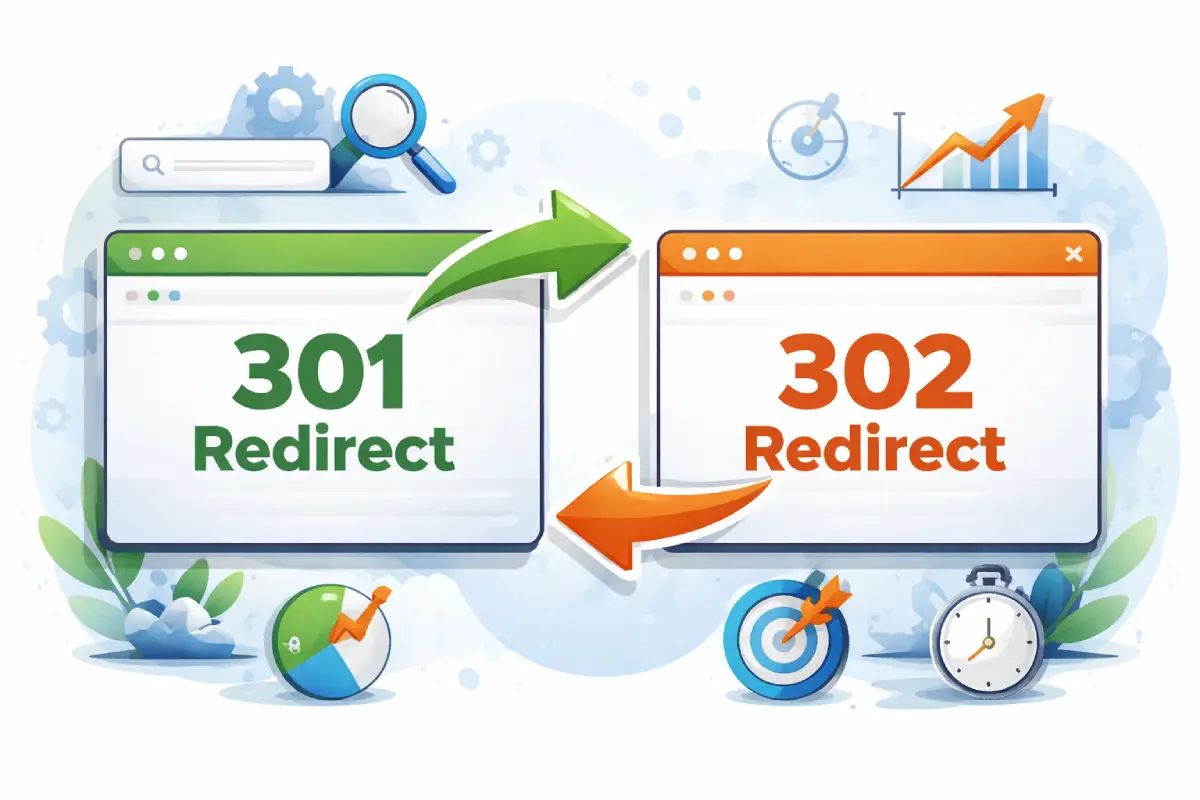
Redirections constitute critical technical SEO elements on any given site. The choice of right redirect depends on whether one is shifting between URLs, overhauling the design of their site, switching to HTTPS, or removing irrelevant content that is no longer useful for users or for search engines’ algorithms of ranking webpage.
On this detailed page, you will discover all details concerning the HTTP 301 and 302 redirects. We look at their mode of operation, what the search engines take them to mean, the right place to utilize these tools, as well as the correct method of inserting them in your WordPress platform.
1. Introduction
If the website’s URL changes or disappears, both visitors and search engines will need some guidance. Without suitable directions, visitors will face 404 errors and consequently have your search engine ranking diminished. This can be fixed by using redirects that can forward visitors’ traffic automatically from one link to another. Nevertheless, all redirects are not equal since the two most common kinds of them – 301 and 302- send out different signals to search engines. It becomes imperative to comprehend this difference for your SEO ranking to remain intact.
2. What is a Redirect?
A redirect is an HTTP response code that informs a browser or search engine about the fact that the URL requested by user has been relocated to another address. On failing to open up the initial website, the server gives out a status code for example 301 or 302 along with the link to the new site. Redirects help in keeping a consistent user experience and also protect the ranking in the search engine.
Redirects are used for:
- Website migrations
- Changing URL structures
- Deleting outdated content
- Fixing duplicate pages
- Moving from HTTP to HTTPS
- Domain changes
3. What is a 301 Redirect?
The 301 redirect is essentially a type of permanent redirection to let the search engine as well as the browser know that the given web page had permanently shifted to another URL. The majority of the link equity and the SEO ranking signals coming from the original page are forwarded to the destination address by such kind of an approach which not only maintains the current status of SEO but also assists in directing every visitor appropriately to his needed page.
3.1 How Search Engines Handle a 301 Redirect
When Google encounters a 301:
a) Transfers Most Ranking Signals (Link Equity): A 301 redirect transmits the majority of the back links and power of original webpage to the new link. This aids in maintaining ranking of the page and its SEO strength when there is an irretrievable change of location.
b) Updates the Index: Search engines can spot a 301 redirect. They swap out that old URL for the new one in their database. After some time has elapsed, the new URL is the primary one shown up in search engine results pages.
c) Consolidates Duplicate Content Signals: A 301 redirect takes together ranking signals from duplicate or similar URLs into one preferred webpage. The goal is to prevent authority from being divided between different versions so that SEO performance gets enhanced.
3.2 Why 301 Redirects Matter for SEO
A properly implemented 301 redirect:
a) Preserves Backlinks and Authority: The 301 redirects can keep on transferring SEO values from the older links pointing at the website to the newer pages through which it helps in maintaining the websites’ ranking strength and authority that would have been lost following any form of moving of the site.
b) Prevents Traffic Loss: A 301 redirect sends visitors immediately from an old URL to the new page rather than returning a 404 error, thus preventing loss of users due to links that are now outdated, or users using bookmarks with old URLs.
c) Consolidates Authority to One Canonical Version: A 301 redirect will direct several different URL versions to one preferred webpage. It ensures that all ranking signals, backlinks, and authority are focused on one version thus increasing the overall site SEO performance.
3.3 Use Cases for 301 Redirects Include:
a) Permanently Changing a Page Slug: When you change the URL on a webpage, you can use a 301 redirect to steer users and search engines to the new slug. For example, one can redirect /seo-tips-2023 to /seo-tips-guide so as to retain rankings and traffic.
b) Merging Two Blog Posts into One: In combining similar articles into one complete post, use 301 redirects from the old posts to the new merged page. This will preserve the backlink flow and transfer ranking signals to the revised content.
c) Deleting a Product Page and Replacing It: When a product is removed from market but replaced with new improved ones, we use 301 redirects to direct customers towards the latest product page. It helps in preserving backlink value and makes sure that visitors land on an appropriate substitute rather than a dead end page that gives 404 errors.
d) Migrating to a New Domain: When you are transferring your website to a new domain, use 301 redirects from the older URLs to the ones that are in line with the new site. It transfers your authority and your ranking signals so as to keep on being seen by users in a search engine during transfer.
e) Switching from HTTP to HTTPS: When you upgrade your website to HTTPS, it’s important that you use 301 redirects on all HTTP URLs to their corresponding HTTPS versions. This will help gather ranking signals in one place for the secure version of your site and avoid any potential issues with duplicate content.
f) Redirecting Non-WWW to WWW (or Vice Versa): Incorporate a choice on the preferred domain version, that is www or non-www and make sure to use 301 redirects so that it points the remaining option towards that preferred one. This should prevent any duplication of content that can be seen as problematic while also concentrating all authority to a single domain version.
4. What is a 302 Redirect?
A 302 redirect refers to a temporary redirection method, which is communicated to both search engines and web browsers that a given webpage was moved temporarily to an alternate Uniform Resource Locator (URL). The fact that the original webpage is going to be restored means that the search engine retains its initial link to this page and therefore does not completely pass rank value signals onto the new target page.
4.1 How Search Engines Handle a 302 Redirect
When Google sees a 302:
a) Keeps the Original URL Indexed: A 302 redirect shows that the relocation is a temporary one therefore search engines still keep track of the original URL. The original page remains the key edition shown on search results pages.
b) Does Not Fully Transfer Ranking Signals: A 302 redirect gives very little or no forwarding of the initial webpage’s ranking power (link equity and authority) to the designated target webpage. Therefore most of the SEO value remains on the original webpage, but the temporary webpage may just have some advantage for its ranking.
4.2 Why 302 Redirects Should Be Used Carefully
If you mistakenly use a 302 for a permanent change:
a) Ranking Signals May Not Transfer: When you use a 302 redirect for a change that will last forever, search engines may have trouble passing the link power and authority to the new URL. So the new page might find it hard to take over the rankings of the original page.
b) Google May Continue Indexing the Old URL: When a 302 redirect is applied instead of a 301 for some change that will last forever, search engines may keep the old URL in their records. As a result, the visibility and position of the new webpage in search engine rankings might be delayed.
c) SEO Performance Can Weaken: Using the wrong redirect type such as a 302 for a permanent change can result in ranking instability and reduced authority transfer. This could affect SEO performance over time and limit a new page’s ability to rank high.
4.3 Use Cases for 302 Redirects Include:
a) Temporary Maintenance: If you happen to experience temporary problems with your website, like during maintenance or some upgrades, it would be best if you used a 302 redirect. This way you ensure visitors are taken to another webpage while at the same time they can know the first webpage will come back.
b) Seasonal Promotions: A 302 redirect will steer visitors to limited time offers like holiday campaigns for a time being. This way, you can have your short term promotions and it won’t affect the ranking of the original webpage.
c) Limited-Time Landing Pages: Make use of a 302 redirect so that you can redirect some visitors to short-term campaign or promotional landing pages. It does not change the primary address for future use but offers a temporary route for visitors.
d) A/B Testing: You could use a 302 redirect so that some visitors to your site go to a trial edition of the webpage and not be affected by it at all in any way to the original page. This way, it will enable you to conduct experiments while still maintaining the primary version on Search Engines.
e) Temporary Product Unavailability: A 302 redirection can be very useful in case you are in need of reorganization of your website’s content temporarily. It keeps the flow of visitors intact and lets search engine know that the previous URLs may be reinstated at a later date.
f) Short-Term Content Restructuring: Maintain user flow during temporary changes.
5. Key Differences Between 301 and 302 Redirects
| Factor | 301 Redirect | 302 Redirect |
|---|---|---|
| Type | Permanent | Temporary |
| Indexing | Replaces old URL | Keeps original URL |
| Link Equity | Passes most authority | Limited transfer |
| SEO Impact | Consolidates ranking signals | Maintains original signals |
| Best For | Structural changes | Short-term updates |
6. Advanced Redirect Concepts
6.1 Redirect Chains
A redirect chain takes place when one URL directs you to another one that then directs you to a third URL (A → B → C). This increases page loading time as well as wasteful use of crawl budget. Always redirect right to the final destination.
6.2 Redirect Loops
The redirect loop occurs due to continuous redirecting of URLs one after another e. g., A -> B -> A. It leads to an infinite cycle which results in failure to load the webpage.
6.3 Soft 404 Errors
Soft 404 happens when page redirects to the wrong place like home instead of actual content of that webpage. Redirects ought to be directed towards the most relevant alternative webpage.
6.4 Canonicalization with Redirects
Redirects aid in enforcing a solitary preferred edition of a webpage like HTTPS over HTTP or www over non-www so that there are no identical content problems.
6.5 Crawl Budget Impact
Excessive redirects eat into crawl budget for no reason at all. Clear redirect structures assist search engines to crawl through key pages at a better speed.
7. Best Practices for Implementing Redirects
a) Use 301 for Permanent Changes Only: Use 301 redirects when a page moves permanently to a different URL. This ensures that all ranking signals and link equity are correctly moved.
b) Use 302 Strictly for Temporary Situations: 302 redirects are best suited for short term changes such as maintenance or promotional activities, however if you make a move here which is supposed to be permanent then the search engines will get confused and therefore your SEO may be compromised.
c) Avoid Redirect Chains and Loops: Redirecting through multiple URLs (chains) or creating loops slows down page loading. To keep crawling efficient, it is wise always to redirect directly to the end target.
d) Redirect to Relevant Content: Ensure that redirects go to the most suitable alternative webpage. Redirects to random pages such as the website’s homepage might be taken as soft 404.
e) Update Internal Links to the Final URL: Following the setup of redirects, be sure to update all internal hyperlinks to direct towards the new URL. This reduces extra redirects and also enhances website structure.
f) Monitor Errors in Google Search Console: Regularly check for crawl errors, redirect issues and indexing problems. Monitoring your site in a timely manner can help you resolve any technical seo issues that might impact on its overall performance.
g) Test Redirects Before Deploying: Check that all redirects return the right status code (301 or 302). This verification means that users and search engines are correctly directed to the target page without encountering problems.
h) Keep Redirect Rules Organized: Always keep an open record about all the active redirects especially on big websites. Rules organized in this way help to avoid any kind of conflict or interference and will also make the work of ongoing management very easy.
i) Remove Temporary Redirects Once Finished: Eliminate those 302 redirects when their temporary purposes are done over. Let them stay around for too long as it will definitely complicate search engine understanding about your website and may lead to weak SEO clarity.
8. How to Configure 301 and 302 Redirects in WordPress
8.1 Method 1: Using a Plugin (Recommended)
Steps:
- Install a redirect plugin (Redirection, Rank Math, or Yoast Premium).
- Navigate to redirect settings.
- Add the old URL (source).
- Add the new URL (target).
- Choose 301 or 302.
- Save and test.
Benefits:
- No coding required
- 404 monitoring
- Easy management
- Logging and tracking
8.2 Method 2: Using .htaccess (Advanced)
For Apache servers:
301 redirect:
Redirect 301 /old-page/ https://example.com/new-page/
302 redirect:
Redirect 302 /temporary-page/ https://example.com/temp-page/
Always back up your .htaccess file before editing.
9. When Google May Treat 302 Like 301
In a few instances where the 302 redirect has been there for a long time, Google might consider it permanent. Nevertheless, this is far from being certain and therefore cannot be trusted as an indicator of any status. It’s always advisable to use the right intended redirect.
10. Common Mistakes to Avoid
a) Using 302 Instead of 301 for Permanent Changes: You should not use a 302 redirect to change your permanent URL, since it may prevent the link equity and ranking signals that are supposed to be transferred to the new site from doing so. As time goes on this could result in lower rankings and a reduced search engine ranking for the new URL.
b) Redirecting All Deleted Pages to Homepage: Redirecting all removed content to the homepage leads to a suboptimal user experience that can cause the search engines to classify it as a soft 404. To keep up with SEO values, delete articles should redirect users to the most closely related replacement page.
c) Creating Redirect Chains: In case of redirect chains like A→B→C, it increases page loading times that lead to wastage of crawl budget. They decrease SEO efficiency therefore replacing them with a single direct link to the end place will make things better.
d) Forgetting to Update Sitemap: When you change around the URLs and forget to update your XML sitemap it will lead to the continued crawling by the search engines of old webpage URLs. Submitting an updated sitemap is important so that the search engines start using the right URLs.
e) Leaving Temporary Redirects Active Permanently: The 302 redirect was intended for temporary use only. If this setting is left active in the future, it may mislead search engines and prevent the correct passing of rank signals.
f) Not Testing Status Codes: In case you don’t test your redirects, they might give out wrong status codes e. g. 200 or 404 rather than what is appropriate like 301/302. This is going to cause problems of indexing, lost website traffic, and a decrease in Search Engine Optimization (SEO) ranking.
11. Conclusion
301 and 302 redirects are powerful SEO tools that deliver results only when used correctly. A 301 redirect works well for permanent changes in URLs as it keeps rank signals and passes link equity onto a given new web page. On the other hand, a 302 redirect is meant for short-term moves with the expectation that the old URL will come back at some point.
The choice of right redirect types is a determinant factor that keeps up good search engine ranking positions, ensures correct indexing of your site, keeps intact important inbound links, increases crawl efficiency and improves on the whole user’s interaction with the site.